4 stories in the last 7 days
The latest powertoys news, distilled by AI into sharp ~100-word summaries. ByteBrief tracks powertoys across dozens of tech sources and brings you only what matters, updated hourly. Tap any story for the full brief, or open the original source.
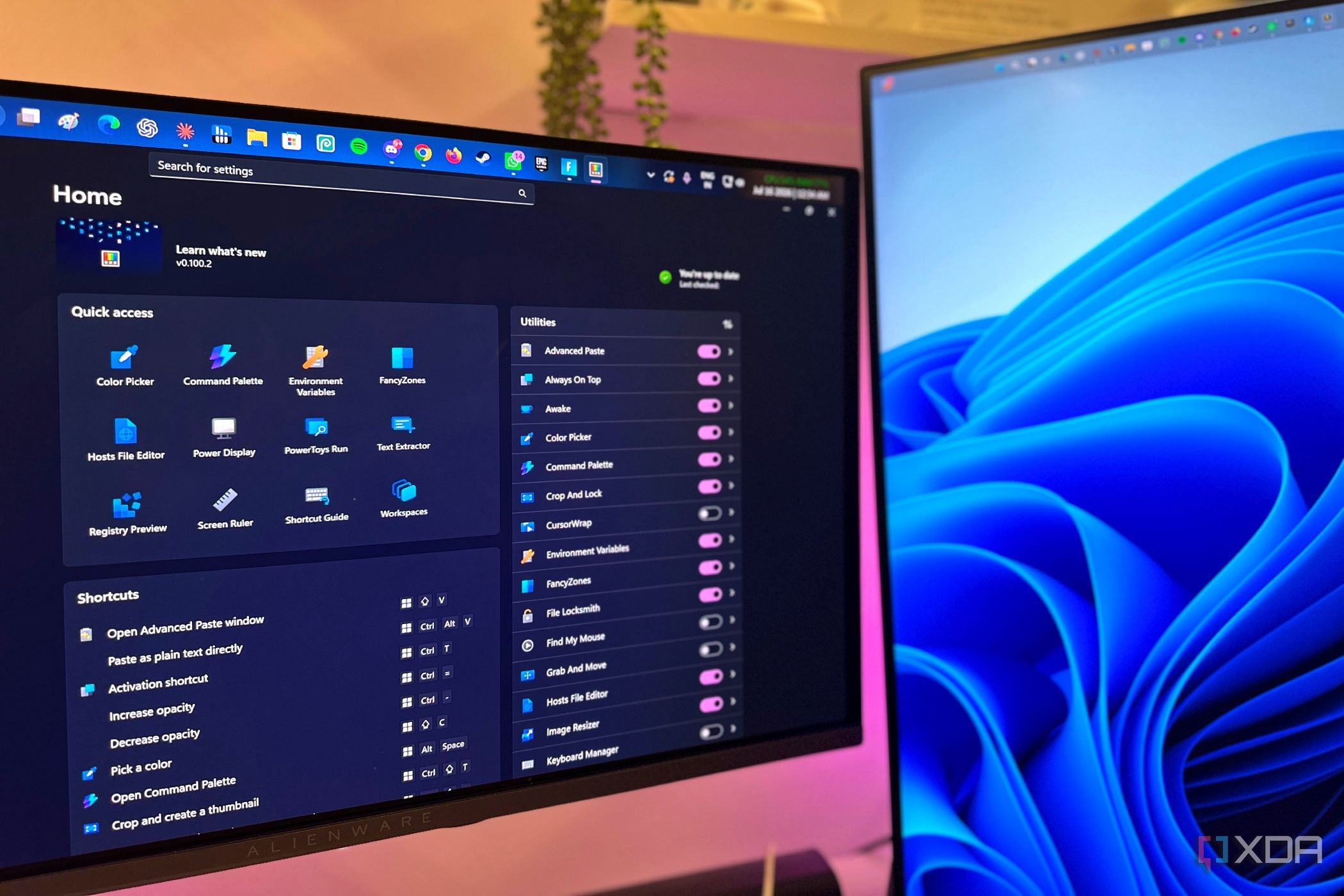
A user replaced built-in Windows 11 habits with Microsoft PowerToys to reduce daily annoyances. PowerToys includes Peek, PowerRename, Image Resizer, Advanced Paste, FancyZones, Always On Top, and PowerDisplay Brightness. The author argues PowerToys should ship with Windows out of the box for power users.

PowerToys 0.100 adds an Extension Gallery inside the Command Palette for browsing, installing, updating, and removing extensions. Shortcut Guide now detects the active window and shows relevant app shortcuts. ZoomIt gains webcam feed support for clearer demos.

The author replaced Microsoft Copilot with PowerToys on Windows 11, finding PowerToys faster for getting tasks done. Copilot felt like a standalone chatbot that slowed down workflows, while PowerToys gave direct control over system settings and app launching without AI chat overhead.

Windows PowerToys' Always On Top feature can pin more than one app at a time. The author discovered this after assuming only one app could be pinned. Pinned apps can be resized and moved without losing the pinned status when switching between them. The setup helps keep multiple apps visible and accessible.
Summaries by ByteBrief